Find Bus Stops
Find the right stop, your way
Use your location, what you remember, or the map around you.
Three ways to find a stop
All three paths open the same stop-detail screen with live arrivals.
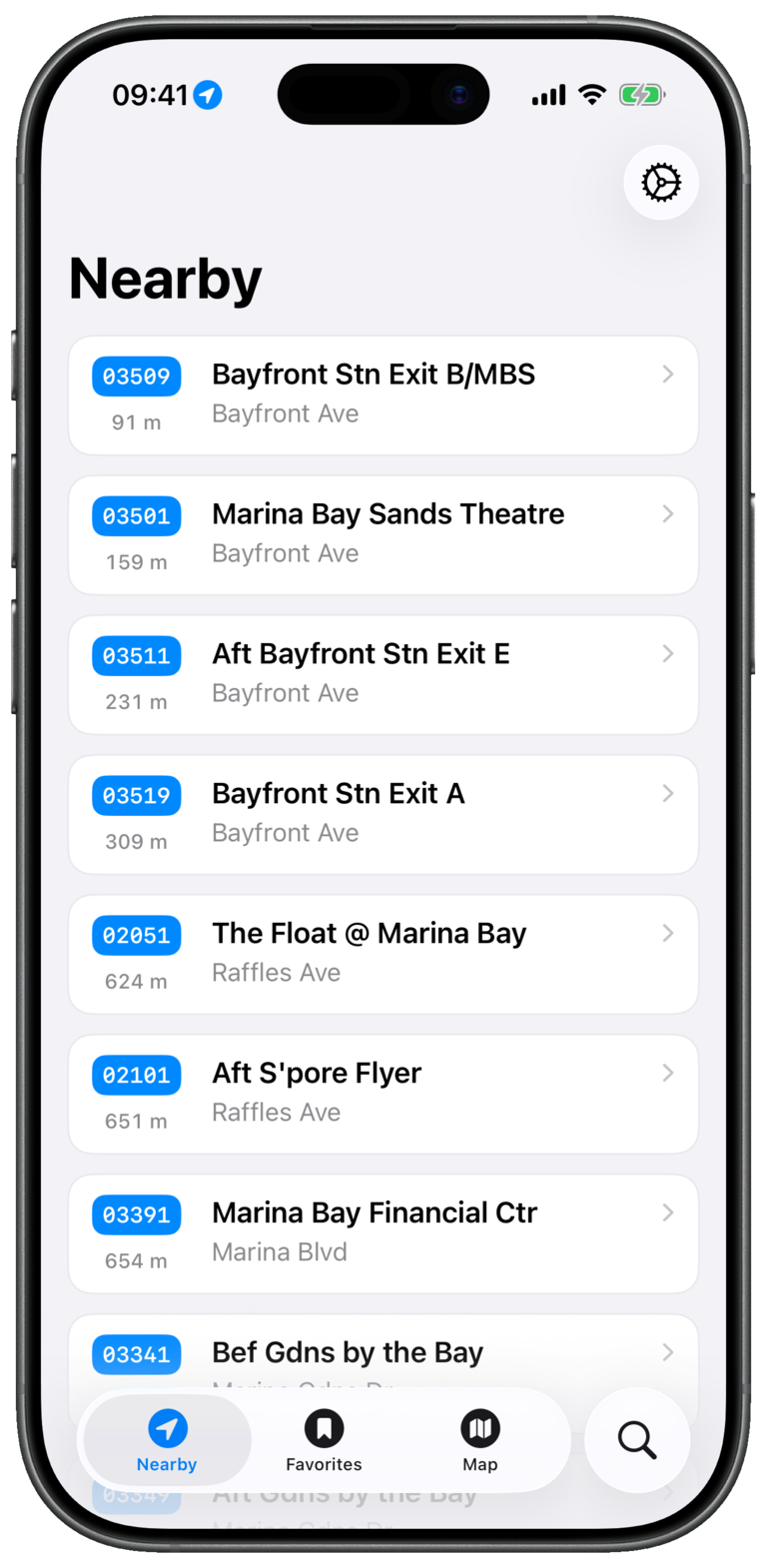
Nearby
Allow location access when prompted. Nearby sorts stops around your current position, ideal when you already know the area.
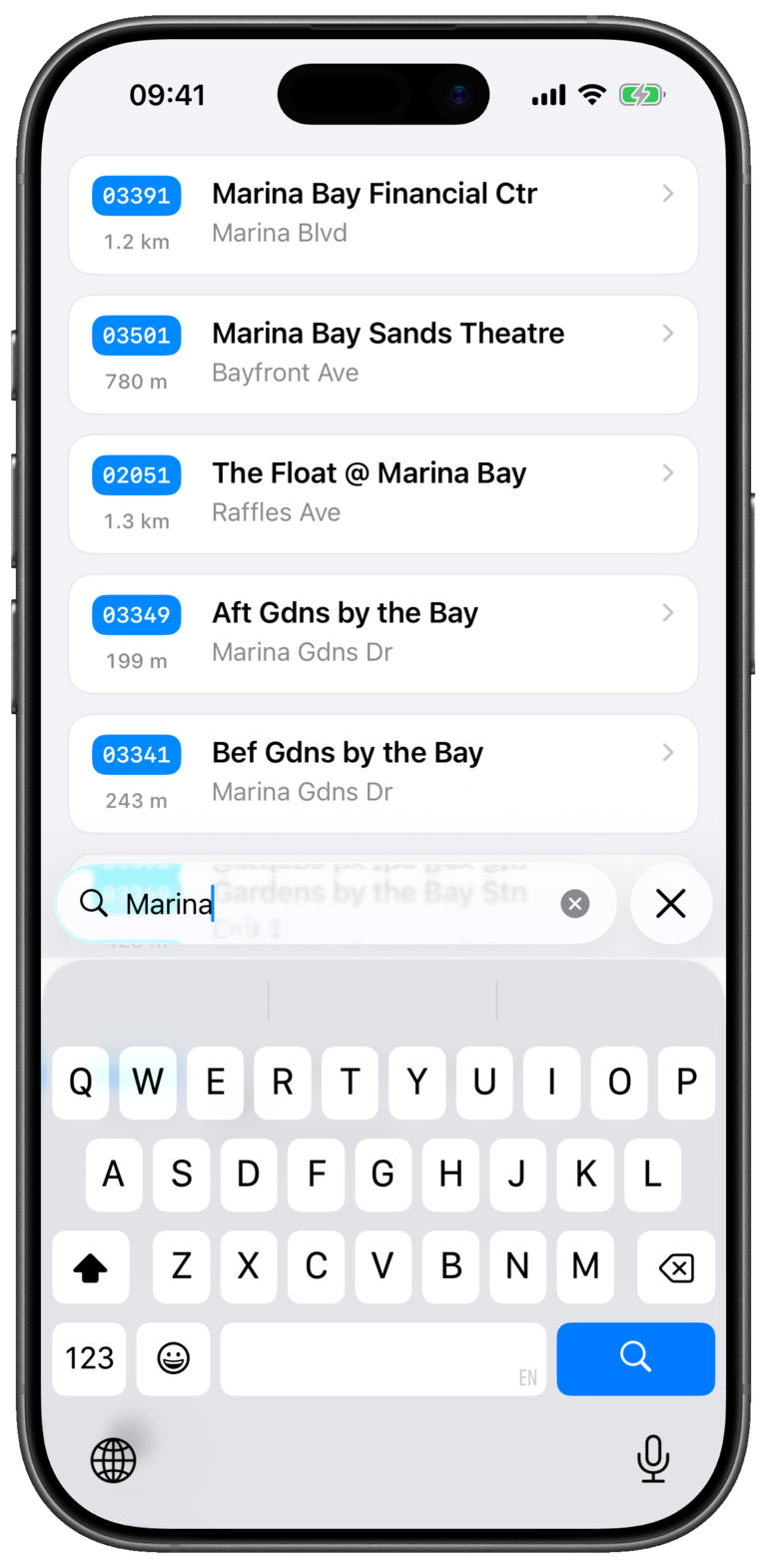
Search
Enter a stop name, five-digit stop code, or road name. You do not need to match the exact stop label.

Map
Browse stops spatially when several have similar names or you need to check which side of the road you are on.
If Nearby does not look right
Confirm location access is enabled for Bus Atas SG, then reopen Nearby. If stops themselves are missing, open Settings and choose Sync now.