1. Find your stop
Use Nearby, Search, Favorites, or Map to open the stop you’re heading to.
Singapore bus arrivals · iPhone Live Activities
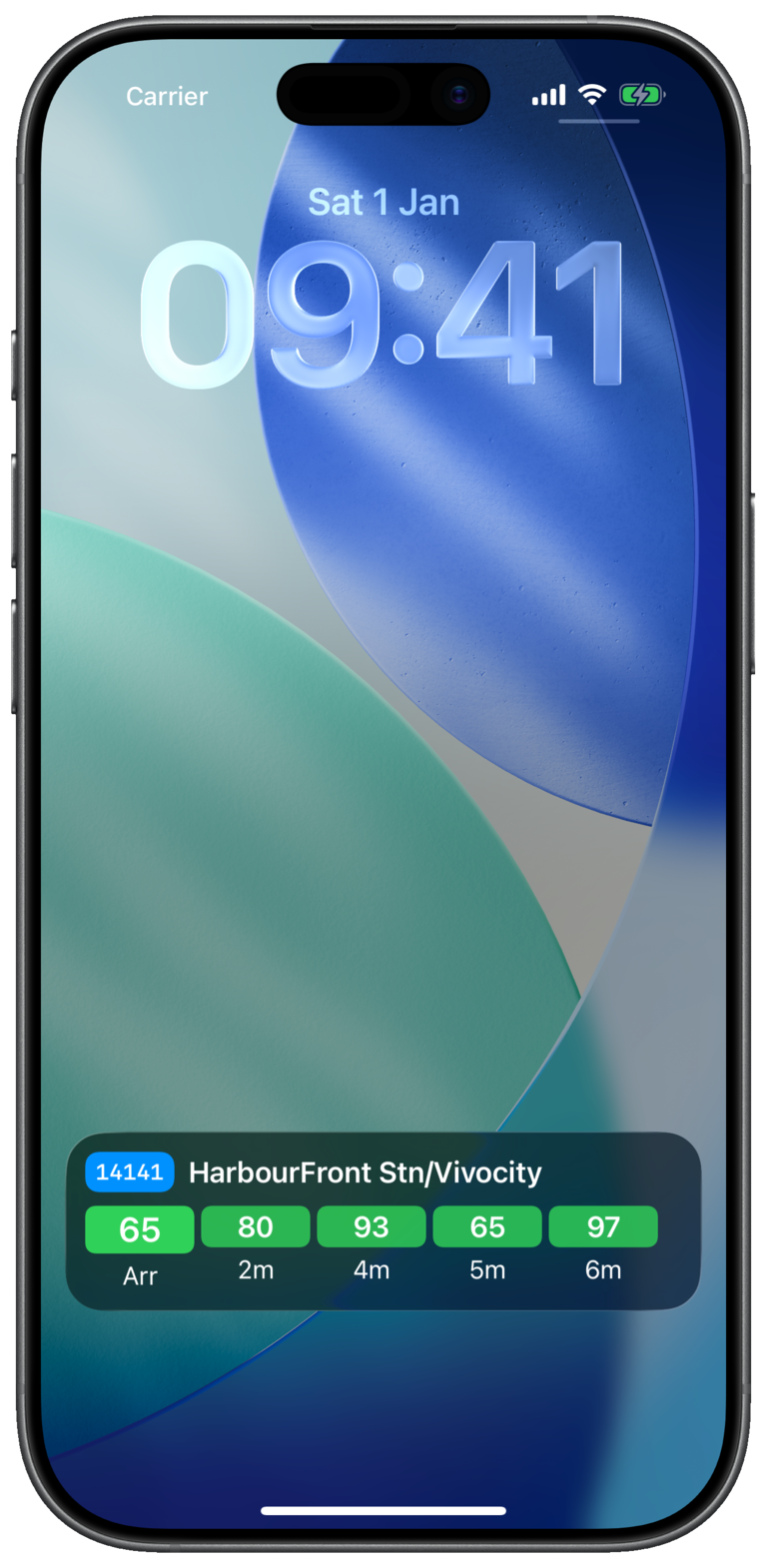
Keep Singapore bus arrival estimates in view while you walk to the stop. Start a Live Activity in Bus Atas SG, lock your iPhone, and check the services you’re waiting for without reopening the app.
For iPhone · iOS 17 or later
Ready for the walk to the stop
Use Nearby, Search, Favorites, or Map to open the stop you’re heading to.
Tap the Live Activity button in the stop header. Track all services, or your favorite services at that stop.
See arrival estimates while you wait or use another app. Return to the stop in Bus Atas SG to adjust or stop tracking.
Keep your usual stops in Favorites, then track the buses that fit your commute. Arrival estimates use LTA DataMall information and can change with traffic and service conditions.
Bus Atas SG supports iPhones running iOS 17 or later. Allow Live Activities for Bus Atas SG in iPhone Settings.
Yes. Choose all services or favorites when starting a Live Activity. Swipe a service row left to add or remove it from tracking.
It shows live estimates from public transport data. Use them to plan your wait; they are estimates rather than guaranteed arrival times.
Take it on your next commute
Download Bus Atas SG and start a Live Activity at your next stop.